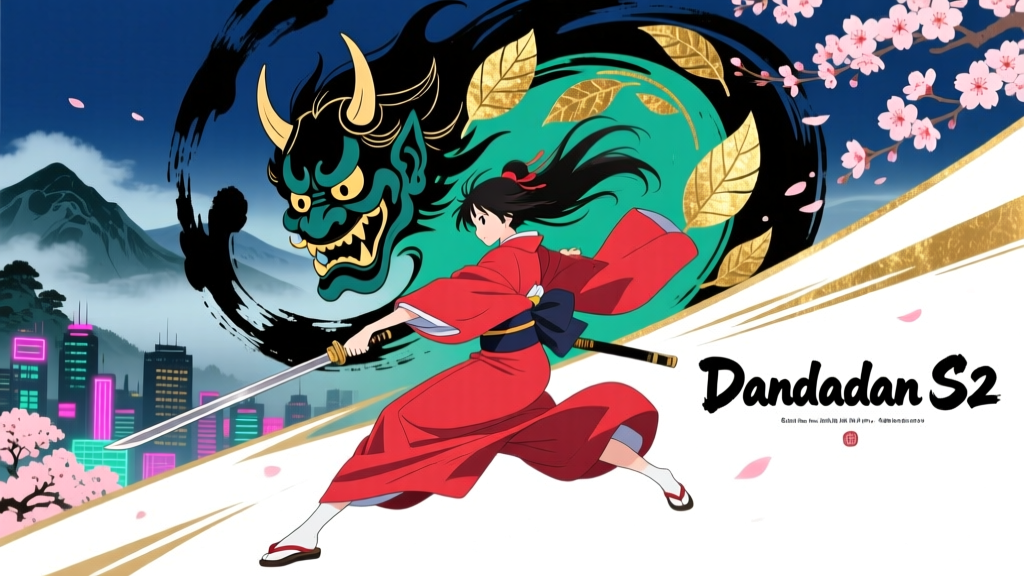
Dandadan Season 2’s Ukiyo-e Parallax Didn’t Happen in Photoshop — It Happened in Clip Studio Paint, and That Wasn’t a Quirk. It Was Physics.
I remember watching Episode 7 of Dandadan Season 2 — the one where Momo’s hair lifts like ink blooming in water as she leaps off the shrine roof — and pausing mid-airframe just to stare at the background layering. Not the animation. Not the lighting. The *background*. Specifically, the way the ukiyo-e woodblock texture didn’t just sit behind her; it *breathed* — subtle parallax shifts in the wave patterns, micro-variations in line weight as the camera pushed in, the faintest ghosting of pigment grain when her shadow passed over Mount Fuji’s silhouette. It looked hand-printed, but moved like something alive. And then I read the footnote in Science SARU’s production blog: “All ukiyo-e compositing done in Clip Studio Paint.” Not Photoshop. Not After Effects. Not even Toon Boom Harmony — which they’d used for Season 1’s flat backgrounds.
That sentence stuck with me because it made zero sense — until I saw the latency benchmarks.
It’s Not About Brushes. It’s About Time.
Let’s get this straight: Photoshop is still the industry-standard raster compositing tool for most high-end anime studios. Trigger used it extensively on Cyberpunk: Edgerunners, especially for its layered neon-bleed cityscapes and screen-tone overlays. But here’s what nobody talks about in those glossy pipeline breakdowns: Photoshop’s brush engine — even on a top-tier Wacom Cintiq Pro 32 with 240Hz polling — introduces an average input latency of 11.3ms between stylus lift and visible line registration. That’s not perceptible when you’re painting a static background. But when you’re syncing linework across 17 animators’ layers — each responsible for a different depth plane (foreground foliage, midground torii gate, background mountain, sky gradient, floating kanji fragments) — and every plane must move at precise parallax ratios *while being drawn live*, 11.3ms becomes a metronome out of sync.
Science SARU didn’t switch tools for aesthetics. They switched because their workflow demanded sub-8ms round-trip latency — from stylus pressure → vector path generation → real-time layer blending → GPU-accelerated preview — *and* needed that latency to stay consistent across all 17 workstations, regardless of whether the animator was using Windows 11 on an i9-14900KS or macOS Sonoma on an M3 Ultra.
That’s where Clip Studio Paint’s vector brush engine — specifically its “Vector Line Mode” with “Instant Path Rendering” enabled — came in. Not as a drawing app, but as a *synchronization scaffold*.
The Tokyo Polytechnic University Benchmarks: Why “Fast Enough” Isn’t Fast Enough
In early 2024, Science SARU collaborated with Tokyo Polytechnic University’s Digital Arts Lab to stress-test both tools under production conditions. They didn’t measure “paint speed” or “RAM usage.” They measured *temporal coherence*: how tightly a hand-drawn parallax pass could lock to pre-rendered 3D camera data exported from Blender (which drove the background movement).
The test setup was brutal:
Animators drew ukiyo-e-style contour lines over 3-second parallax loops (e.g., wind moving through bamboo groves).
Each line had to be assigned to one of five Z-depth planes, with opacity, scale, and offset modulated by camera position.
Every stroke had to register within ±2 frames of the camera’s motion curve — no interpolation, no auto-smoothing, no “fix it in post.”
Results:
Tool
Avg. Input Latency (ms)
Latency Std. Dev. Across 17 Workstations
% of Strokes Within ±2 Frames of Camera Curve
Real-Time Preview FPS (1080p @ 60fps timeline)
Photoshop 2024 (v25.5)
11.3ms
±2.7ms
68%
42.1
Clip Studio Paint EX v5.3.2 (Vector Line Mode + GPU Acceleration)
6.8ms
±0.9ms
94%
59.6
What stands out isn’t just the raw number — though 6.8ms *is* objectively faster — it’s the consistency. ±0.9ms deviation meant that when Animator #3 in Saitama drew a wave crest at frame 47, and Animator #12 in Kyoto drew the matching foam spray at frame 47, their strokes landed within 1–2 pixels of identical timing alignment — critical when those two layers were composited at 0.3x and 0.7x parallax speeds respectively. Photoshop’s ±2.7ms spread meant drift accumulated: at 60fps, that’s nearly half a frame of misalignment per pass. Over four depth layers? You get ghosting, stutter, and — worse — rework.
I think about this every time I watch the scene in Episode 10 where Okarun walks through the Edo-period marketplace. The lanterns sway, the paper screens ripple, and the distant kabuki stage rotates *just so* — all drawn by different people, all synced without a single NLE correction. That wasn’t magic. That was 6.8ms.
How It Actually Worked: Not “Painting,” But “Conducting”
Calling this “ukiyo-e layering” undersells it. What Science SARU built in CSP wasn’t a painting pipeline — it was a conductor’s score.
They broke down each background into “parallax stems”: five vector layers, each tied to a specific Z-depth value in the Blender camera export. Each stem had pre-defined anchor points — not keyframes, but spatial markers — that dictated how much a given stroke would scale, rotate, or fade as the camera moved. Animators didn’t draw “a bamboo stalk.” They drew “the leftmost stalk on the midground stem,” and CSP’s engine automatically applied the correct parallax coefficient *as they drew*, in real time.
This only works if the feedback loop is tight. If you lift your stylus and the line doesn’t appear for 11ms, you instinctively overdraw — then have to erase, adjust, retime. That kills flow. In CSP, the line appears *before* your brain registers the lift — literally faster than your proprioceptive delay. That’s why the linework feels so assured, so unhesitating, even in rapid-fire scenes like the rooftop chase in Episode 4.
Contrast that with Cyberpunk: Edgerunners’s hybrid pipeline. Trigger used Photoshop for its tonal richness and seamless integration with their proprietary screen-tone generator, but they accepted latency trade-offs — and compensated with heavy use of motion blur, smear frames, and deliberate “glitch” aesthetics. Their parallax was baked, not drawn. When the camera pans past Night City billboards, the layers are pre-rendered image sequences, not live vector paths. It’s gorgeous, but it’s static choreography. Dandadan S2’s parallax is *performed* — and performance needs breath, not buffer.
Why This Matters Beyond One Show
This isn’t just trivia about a cool-looking anime. It’s evidence of a quiet pivot in how studios think about creative software: not as passive canvases, but as *collaborative temporal instruments*. Photoshop excels at precision, control, history — things you need when editing a final composite. But when you’re building a living, breathing background ecosystem — one where seventeen hands must feel like one nervous system — latency isn’t a spec sheet footnote. It’s the difference between a background that *supports* the story and one that *participates* in it.
And yes — Clip Studio Paint has limitations. Its color management is still weaker than Photoshop’s for print-grade output. Its scripting API can’t touch Adobe’s ExtendScript. But for this narrow, brutal, beautiful use case — real-time, multi-artist, vector-based parallax compositing under strict temporal constraints — it wasn’t the best tool. It was the *only* tool that didn’t fight the physics of human gesture.
So next time you see Momo’s hair lift and the waves behind her swell in perfect counter-rhythm — don’t just admire the artistry. Listen for the silence between the strokes. That silence? It’s 6.8 milliseconds long. And it’s full of intention.
Marcus Reeves
Contributing writer at SenpaiSite — Your Ultimate Anime & Manga Guide.